Why I Chose pgAdmin as a SQL Diagram Tool (ERD)
January 18, 2026 - Reading time: 15 minutes
When I design a database schema, I always want a diagram (ERD).
It helps me see the system, understand relationships, and avoid mistakes early.
I tested several tools, and each one had strengths — but I ended up choosing pgAdmin because it matches how I work: visual first, direct PostgreSQL connection, no extra services.
Free ERD tools I tried (or considered):
dbdiagram.io (free tier, web-based)
Pros
- Very clean UI
- You write a small DSL (text schema), and it visualizes it
- Can export SQL
Cons
- Requires learning the DSL
- Free tier has diagram/project limits
Good if you like “schema as code” + clean visuals.
Diagrams.net (Draw.io) (free, offline or web)
Pros
- Fully free
- Great for planning and presenting diagrams
Cons
- Not a database tool
- No SQL export, no constraints, no validation
Good if you only need a visual plan and write SQL manually.
ERDPlus (free, web-based)
Pros
- Focused on ER diagrams
- Can generate SQL
- Great for simple designs and learning
Cons
- Basic interface
- Not many advanced features
Good if you want quick diagrams + SQL export for small projects.
DBeaver Community (free, desktop)
Pros
- Free and powerful DB client
- Can create ER diagrams from an existing schema
- Works with PostgreSQL, MySQL, and many others
Cons
- Diagrams are good, but not always “presentation perfect”
Good if you want a free alternative to DataGrip with ERD support.
MySQL Workbench (free, desktop)
Pros
- Classic tool for MySQL diagrams
- Supports reverse engineering from a live database
Cons
- Mostly MySQL-focused (not ideal if your main DB is PostgreSQL)
Oracle SQL Developer Data Modeler (free, desktop)
Pros
- Free graphical data modeling tool
- Supports logical + relational models and forward/reverse engineering
Cons
- Can feel heavy if you just want quick diagrams
Good if you want “serious” data modeling features for free.
pgModeler (open-source PostgreSQL modeler)
Pros
- Designed specifically for PostgreSQL
- Open-source and cross-platform
- Supports reverse engineering / visualization of existing databases
Cons
- More complex than simple tools
- Best for people who really want a full modeling workflow
pgAdmin
After trying multiple options, I stayed with pgAdmin because it gives me what I need without extra steps:
Pros
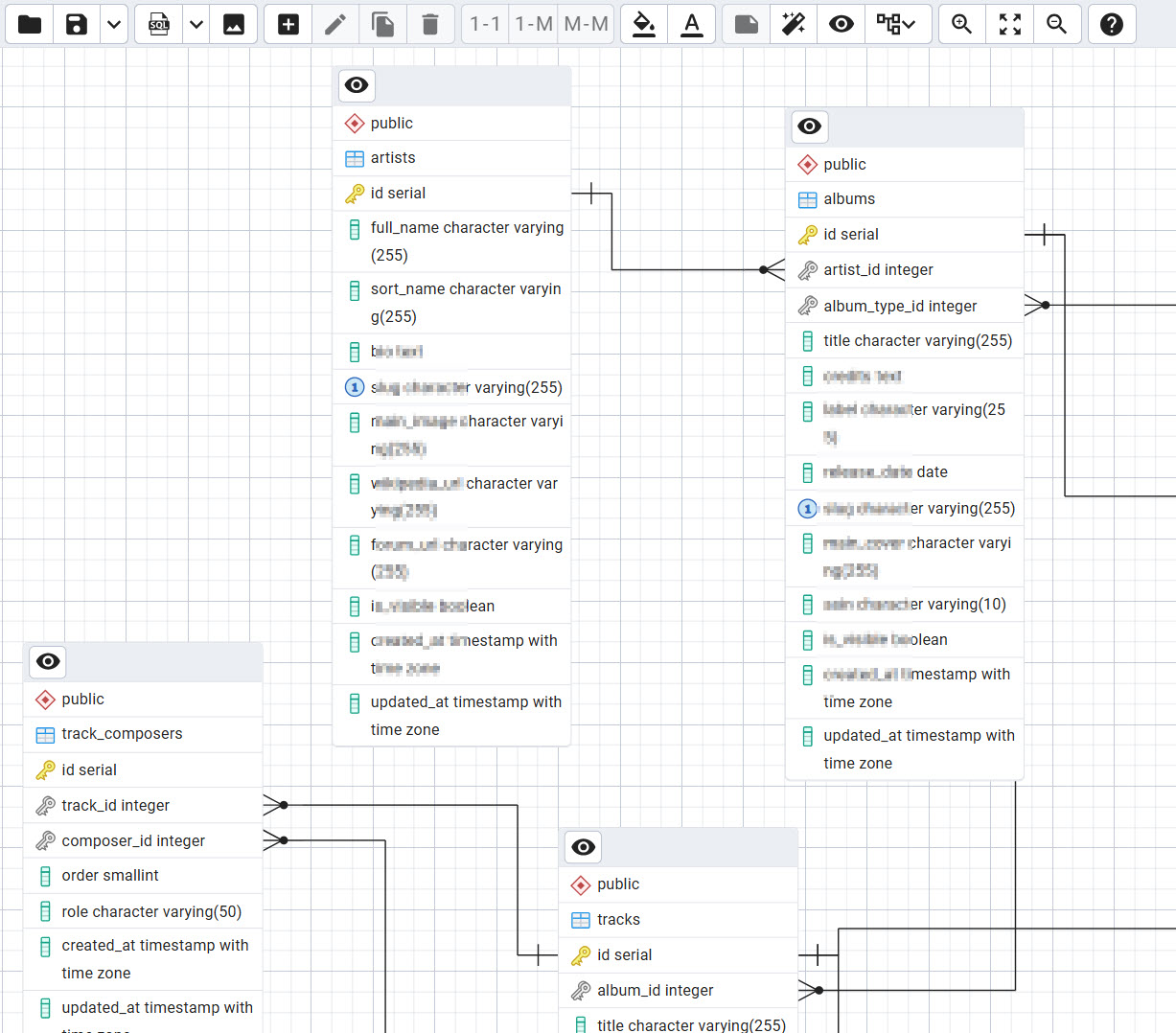
- Very visual and easy: I can quickly understand relationships like artists → albums → tracks
- Works directly with my PostgreSQL database (no importing/exporting)
- Auto-detects data types and relationships
- Good ERD export to print/share
Cons (but acceptable for me)
Sometimes I clean things up manually after schema work:
- remove NOT VALID when it’s not needed
- add missing CHECK constraints
- rename constraint names for consistency
For me this is fine, because I like having diagram + full SQL control.
Conclusion
There are many free diagram tools — and some are really good.
But if you want something that is:
- free
- visual
- connected to your real PostgreSQL schema
pgAdmin is a very practical choice.